Looking for an alternative to DEX Screener? Several tools let you discover decentralized exchange pairs, inspect live charts and compare onchain activity. The useful choice depends on what you want to do next: follow pools across networks, investigate wallets or place trades from the same screen. This guide compares six options by that practical difference, without treating their trending lists as signals to buy.
Key takeaways
For charts and new pools across networks, start with a dedicated DEX data interface.
For wallet research or active trading, a terminal adds a different workflow, often with more setup or trading costs.
Check the exact token address, network and liquidity pool before trusting a chart or signing a transaction.
What are you replacing when you leave DEX Screener?
DEX Screener tracks pairs on decentralized exchanges and displays charts, liquidity, volume and transaction activity. Its trending view combines market and engagement measures, so a prominent listing reflects activity, not an independent assessment of a token’s safety or value. A pair is one trading market for two assets; the same token can have multiple pools, prices and liquidity conditions. Use a contract address and the correct chain when comparing screens.
The closest substitutes focus on finding and reading pairs. Others add wallet analytics or execution. This distinction matters more than a longer feature list: a trader who only wants to check a chart has different costs and risks from someone importing a wallet and sending orders.
Six alternatives at a glance
These are use cases, not a ranking of accuracy, speed or expected returns. Check live coverage for your chain and DEX before switching.
Tool | Useful for | Check before using | Execution access | Costs to separate |
|---|---|---|---|---|
Multichain pool charts and new pools | Whether your specific pool appears | Third-party swap routes where available | Public charts free; swap/network costs separate | |
Birdeye | Token data, wallet research and alerts | Which features need an account or plan | Trading functions depend on network and product | Basic web data; premium and API limits separate |
Pair discovery, charts and multichart | Free versus paid features | DEXTswap and documented Solana account/bot flow | Free and paid access; trading charges separate | |
Token discovery plus a trading terminal | Wallet setup and execution fees | Account with generated wallets or Cash Balance | Trading fees include a USD 0.50 minimum where applicable | |
GMGN.ai | Meme-token discovery and wallet tracking | Automation and order settings | Connected wallet or documented account modes | 1% handling fee plus applicable network/priority costs |
Axiom | Solana launch monitoring and trading | Trading fees and wallet workflow | Separate spot and perpetual execution balances | Spot and perpetual fee schedules differ |
GeckoTerminal: a pool-first charting alternative
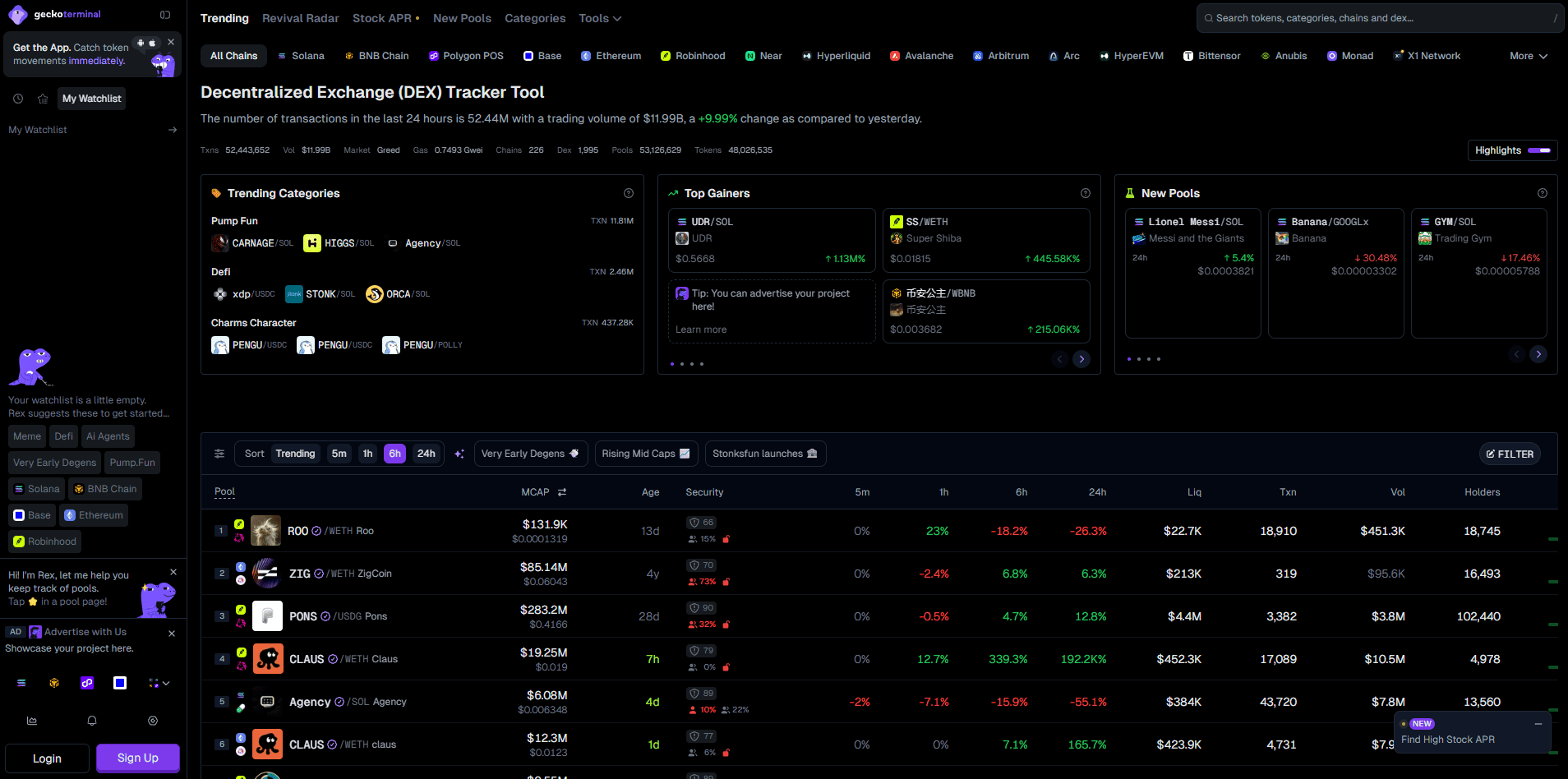
GeckoTerminal, made by the CoinGecko team, offers DEX pool charts, recent trades, liquidity and volume data. Its New Pools view is a direct way to look for newly created markets; individual network pages help narrow the search. For someone who uses DEX Screener primarily to open charts and compare pools, this is a natural first test.
Where it differs: GeckoTerminal organizes the experience around pools and networks, with additional rankings and data views. If you follow one token, inspect which pool the chart represents before comparing prices. A new pool or security indicator is context, not approval of the contract. GeckoTerminal is also distinct from CoinGecko’s conventional coin pages and from its developer API; you can use the website without choosing an API plan.
Birdeye: token context and wallet activity
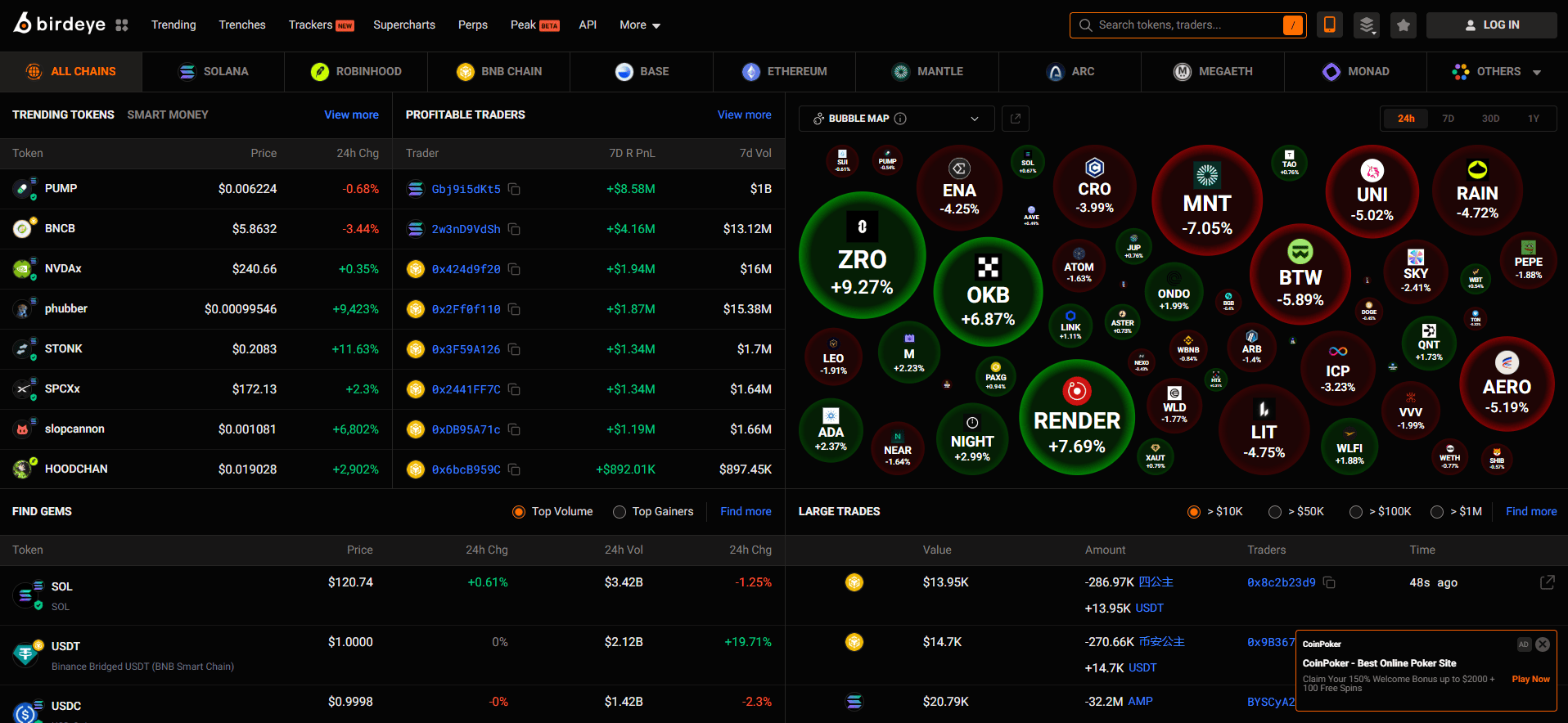
Birdeye combines token charts and trade data with wallet and holder views. Its terminal includes watchlists and configurable alerts for token activity, wallet events and newly listed pairs. That makes it useful if a DEX Screener chart raises a second question: who is trading, how concentrated are holders, or what has a tracked wallet actually done?
Where it differs: the extra panels take more time to interpret, and access to some features varies by plan. Do not assume a wallet labeled “smart money” will stay profitable; realized performance, liquidity and trade size all matter. Begin by comparing the same token address and pool on both sites, then add wallet tracking only if that analysis changes your decision.
DEXTools: pair explorer and multi-chart workspace
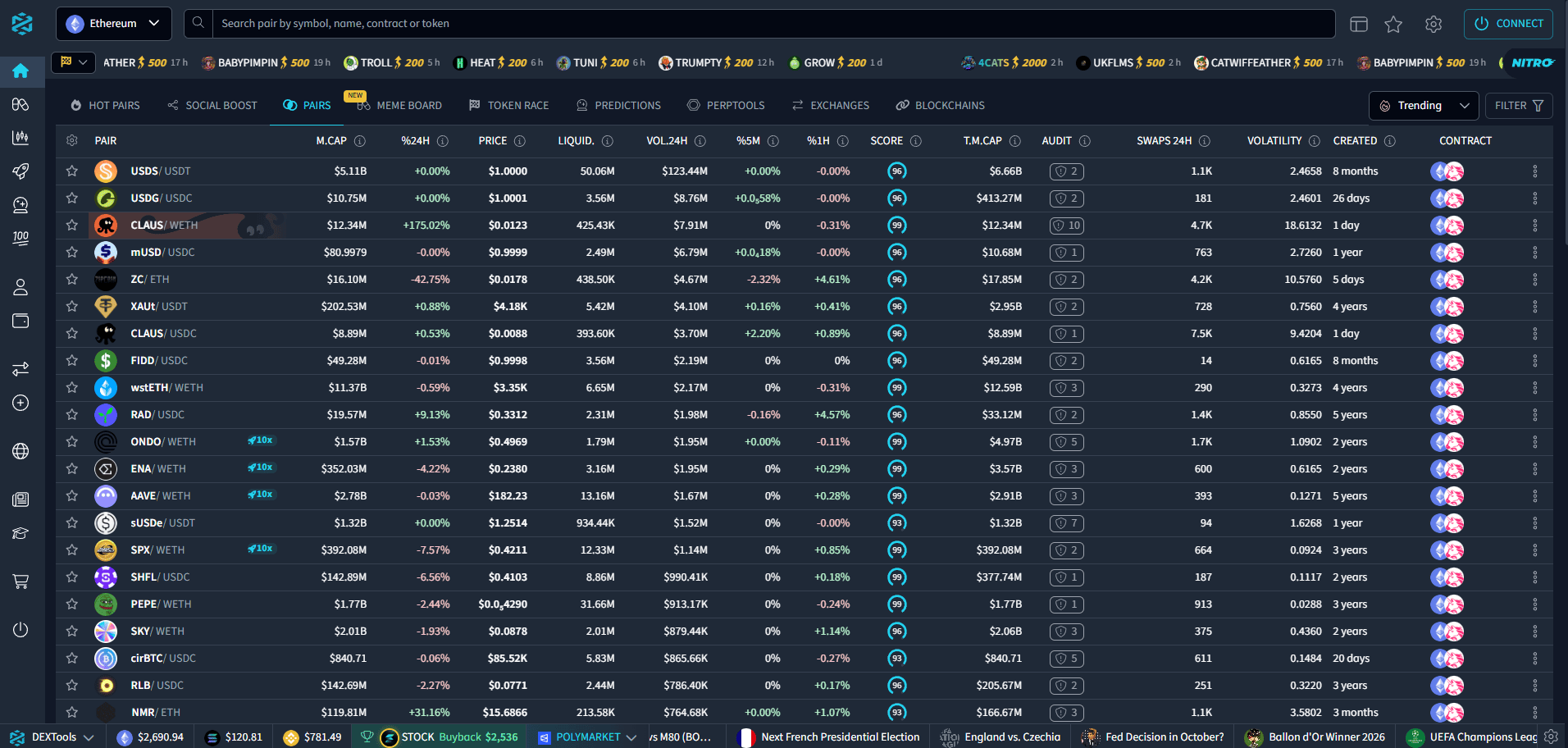
DEXTools offers Pair Explorer, Live New Pairs, Big Swap Explorer and Multichart. If your routine is to monitor several pairs or see swaps next to a chart, these tools provide another way to scan decentralized markets. Its interface also includes trading features, but you can evaluate the free discovery workflow first.
Where it differs: DEXTools has a free tier and additional paid or token-based access; the exact limits and prices can change. Its score and trending lists are screening aids rather than due diligence. Check whether the pool, network, alert channel and number of charts you want are available to your account before moving a watchlist.
Defined.fi: discovery connected to trading
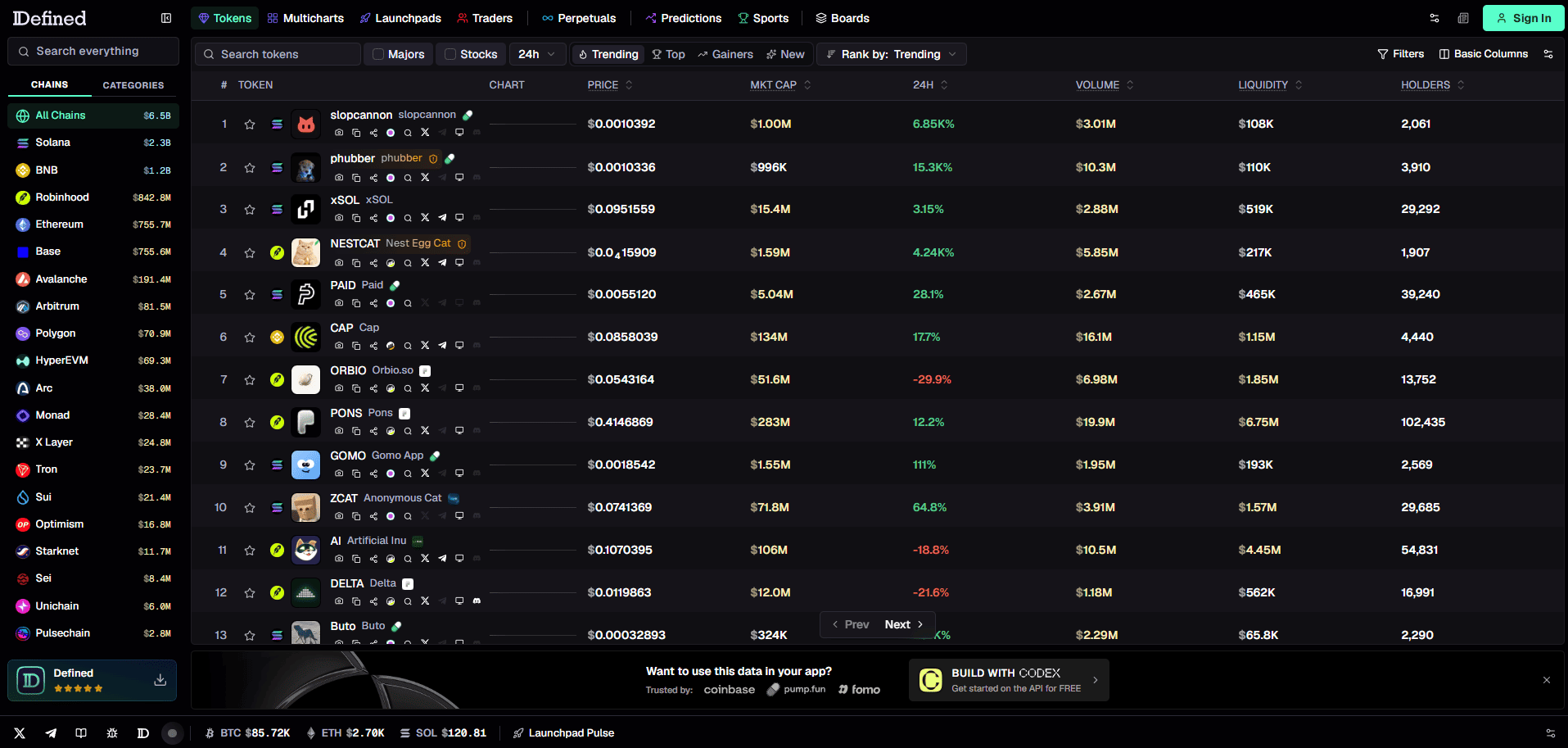
Defined.fi has a multichain Discover screen with trending tokens, gainers and new pairs, as well as charts and wallet-oriented analysis. It is relevant when you want token discovery and a trading terminal in one workspace rather than a standalone pair tracker.
Where it differs: entering a trade introduces wallet setup, network costs and an execution fee that do not apply to simply viewing charts. Its documentation describes a standard trading fee; verify the quote shown for your own order, including any other costs, before signing. You can first search for a known contract address and inspect the results without initiating a trade.
GMGN.ai: meme-token discovery with wallet tools
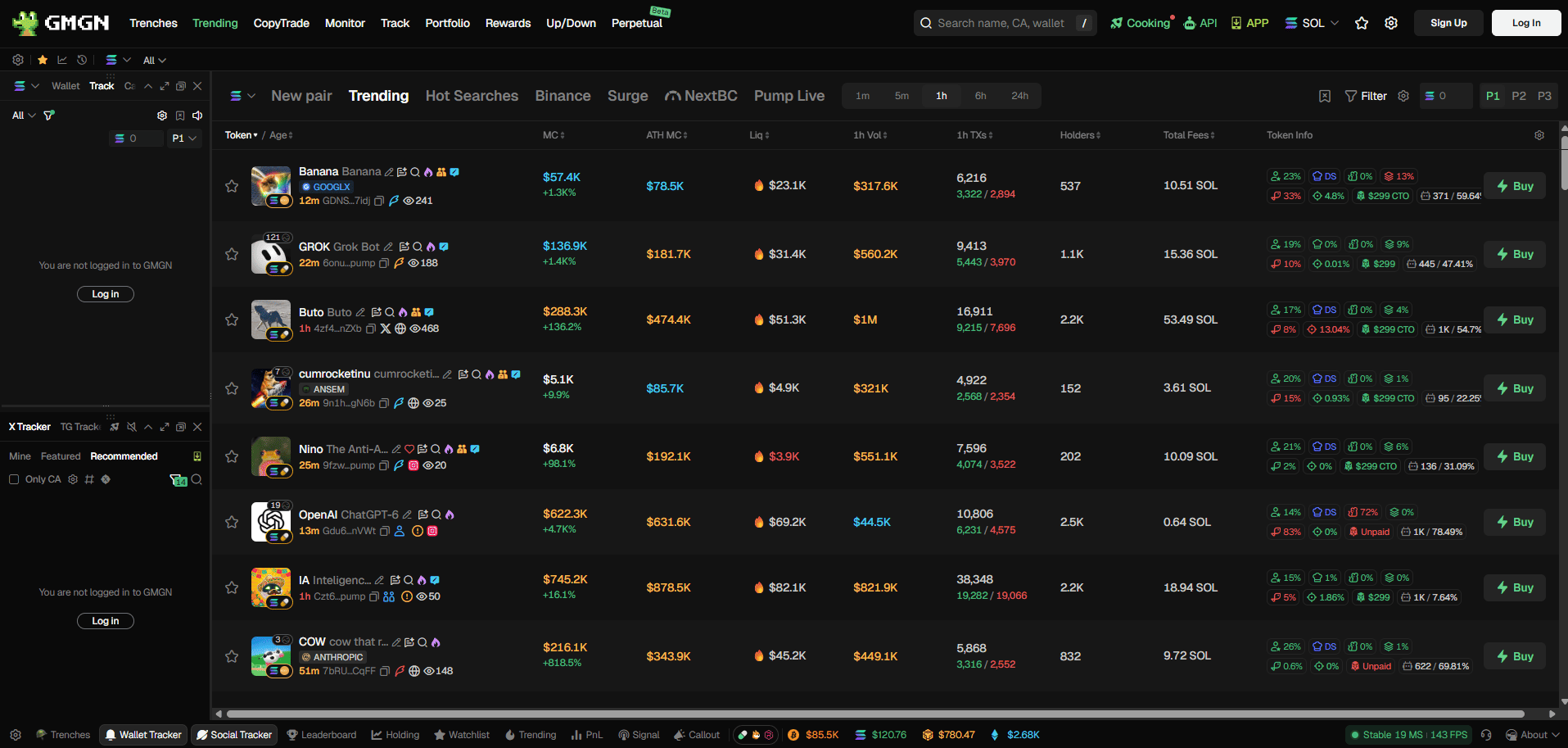
GMGN.ai centers on early token launches, holder analysis, wallet tracking and optional automated trading. Its product pages describe coverage of Solana, BSC, Base and Ethereum. If your DEX Screener use centers on newly launched meme tokens and the wallets trading them, GMGN provides a more specialized research path.
Where it differs: copy trading and automatic orders can create transactions without the same pause as manual chart reading. Following a wallet does not replicate its entry price, execution or exit. Review permission requests, position size, slippage and all fees before enabling execution; leave automation off if you only need charts.
Axiom: a Solana trading terminal
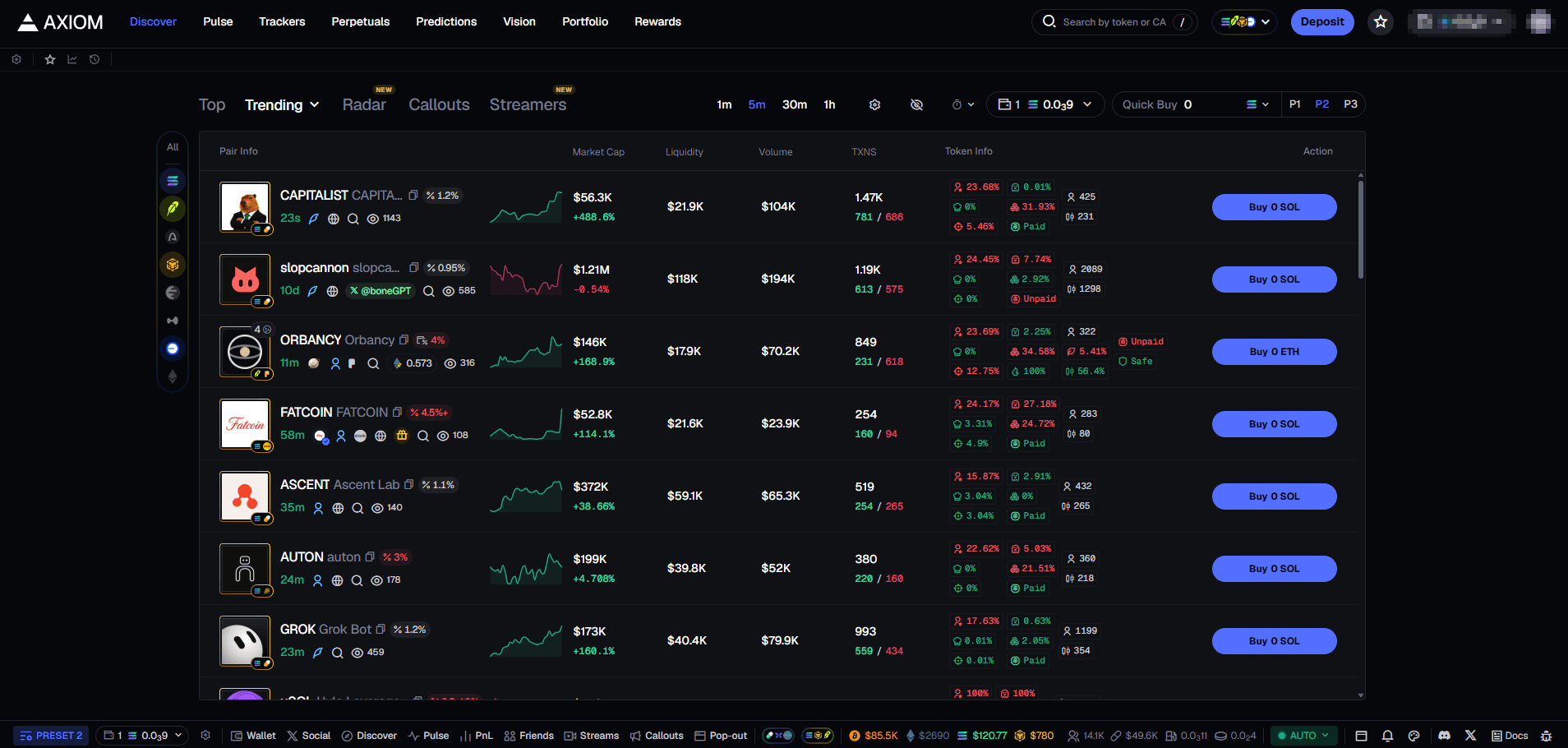
Axiom groups new pairs, trending tokens, charts, wallet tracking and trading in a browser. Its Explore documentation explains how New Pairs and Trending help find activity. It suits someone who wants to move from watching a Solana pair to managing an order in the same workspace.
Where it differs: it is a trading workflow rather than only a public price dashboard. Connecting or funding a wallet, using order presets and paying execution costs change the decision. Confirm the exact network, pair and final transaction details; a busy launch feed can include thin or manipulated markets. If your main need is multichain chart browsing, a pool-first tracker may be simpler.
How to choose without mistaking activity for safety
Try the same address in two interfaces before importing a wallet or paying for a plan:
Specify your task. Decide whether you need charts, new-pair discovery, wallet analysis or order execution.
Match the market. Paste the exact token or contract address, select the correct chain and inspect the pool’s quote asset and liquidity.
Compare the evidence. Review recent trades, depth, holder concentration and any discrepancies between the two data feeds. A score or trending rank does not establish that a token is legitimate.
Review the cost of the workflow. Browsing a chart, subscribing to analytics and executing a swap have different costs; inspect the transaction preview before signing.
For an additional Solana token check, see RugCheck’s risk indicators; to inspect the underlying account and transaction history, use Solscan. Neither tool can guarantee that a token is safe. No platform can eliminate liquidity risk, malicious contracts or losses from trading.
Frequently asked questions
Which alternative is closest if I only want charts and new pairs?
Start by comparing GeckoTerminal and DEXTools with the pairs and chains you actually follow. Birdeye is another option when you also want wallet and holder context. Interface coverage and available filters can change, so test a known pool rather than relying on a headline network count.
Do I need to connect a wallet to look at charts?
Ordinary public chart and pool pages are generally browsable without a wallet. Watchlists, personal alerts or trading features may require a login or wallet. Never enter a seed phrase into an analytics site to view a chart.
Why do two screeners show different prices for the same token?
You may be comparing different pools, quote currencies or chains. Data refresh intervals and methods for choosing a primary pair can also differ. Compare the contract address, pool address, liquidity and timestamp before treating either value as an executable price.
Final thought
Choose a pool tracker if you mainly read markets; choose a research or trading terminal only when its extra workflow solves a specific need. Keep the comparison grounded in the same token and pool, and examine the order preview separately from the chart. This article is educational and does not recommend a token or a trade.