Buying a Solana token can be as simple as exchanging SOL for another asset. Finding a token early, following a trader’s wallet or planning an automatic exit requires more tools. Axiom brings many of those tasks into one screen, but its interface may be more complex than you need or may not suit the way you prefer to trade.
This guide compares seven Axiom alternatives by the job each one does well: researching tokens, placing orders, automating trades or following the market on your phone. You will find current fee information, a dated trading-volume snapshot and the wallet details to check before switching. Start with your main task; you do not need to master every feature to make a useful comparison.
What does Axiom do, and why consider an alternative?
A trading terminal is a workspace that combines market information with buttons for buying and selling. Axiom combines token discovery, charts, wallet tracking and trading in a browser; it also offers access to Hyperliquid perpetuals, contracts for taking positions on price movements rather than simply swapping tokens. A direct substitute should cover your daily workflow, not merely list the same number of features.
You might want a different interface, more wallet research, Telegram automation or a clearer way to place a simple swap. If you are new, compare the swap and wallet setup first. Add automatic orders only after you understand how they execute and how to cancel them.
These terms will help you read the comparison:
Swap: exchange one token for another.
Limit order: request a trade at a chosen price, subject to the product’s execution rules.
DCA or recurring order: split a purchase or sale into smaller trades over time.
Copy trading: automatically react to another wallet’s trades. Your execution price can differ from theirs.
Slippage: the difference between the quoted amount and the amount received. A slippage limit sets the difference you are willing to accept.
Axiom alternatives at a glance: uses, volume and fees
The figures below cover September 1–30, 2026, in USD and were checked on October 8, 2026. Volume is the value of trades tracked by DefiLlama, not money earned by traders. Tools are grouped by workflow and ordered by tracked volume within each group, with Jupiter shown separately at the end. This is not a ranking of safety, speed or profitability.
Tool | Useful when you need | September tracked volume / coverage | Platform fee per trade | Main trade-off to check |
|---|---|---|---|---|
Wallet research alongside discovery and trading | $575.71M; 29/30 days; lower bound | 1% handling fee | Signal quality and copy-trade costs | |
Solana and Ethereum-compatible networks in one terminal | $453.46M; 30/30 days | Check the live quote | Network-specific fees and wallet setup | |
A Solana terminal with planned orders and copy trading | $99.75M; 30/30 days | 1% before cashback | Wallet setup for advanced orders | |
Solana token discovery and quick manual trades | $33.74M; 30/30 days | Check the live quote | Check other markets and wallet export | |
Social feeds and trading on phone or web | $7.47B; 30/30 days; includes cross-chain trades | Variable; shown before confirmation | A social app rather than a dense terminal | |
Automation through web tools and Telegram | $25.14M; 30/30 days | 1%; 0.9% with a referral | Complexity of settings and triggers | |
Solana discovery, swaps and planned orders | $15.09B; 30/30 days; aggregator | Ultra / Terminal: 0–0.5% | Research views differ; volume includes integrations |
Axiom reference: $2.37B; 29/30 days; lower bound attributed to Solana. Its published cashback tiers imply a 1% gross fee and a 0.95%–0.75% net fee. Network charges and venue fees are additional.
Reading the fee column: these are platform charges, not the full trade cost. Cashback is a rebate of fees. A 1% platform fee is $1 on a $100 trade before other costs. Jupiter’s quoted Ultra / Terminal rate depends on the token pair; gasless execution can add a surcharge. Photon and Terminal require a live-quote check because a current public fee schedule was not verified.
How we selected the tools and checked the statistics
Each option replaces at least one Axiom task and has a published dApps.tools profile. We reviewed official product material and summed DefiLlama’s daily USD volume attributed to Solana for the same calendar month. The data provider and essential fee references are listed at the end. We did not estimate missing days or infer volume from fees.
Coverage means available daily observations, not uptime. Axiom is missing September 29; GMGN is missing September 23. Their totals are lower bounds, and unindexed trading venues can cause further undercounting.
fomo’s scope is broader. Its Solana-attributed series includes native swaps and cross-chain trades via Relay because user balances are held on Solana.
Jupiter is infrastructure as well as an interface. Its aggregator volume includes routes used by integrated apps. It cannot measure activity on Jupiter’s website alone and can overlap with other tools.
We do not add these volumes together or compare user counts with different definitions. High activity does not establish safety, better execution or better returns. Features and fees can change; check the order screen before funding an account.
Closest alternatives for an active trading terminal
If you spend most of your time scanning new tokens and placing orders from charts, start here. The differences lie in research tools, supported chains and how an execution wallet is managed.
1. GMGN.ai: research wallets before acting
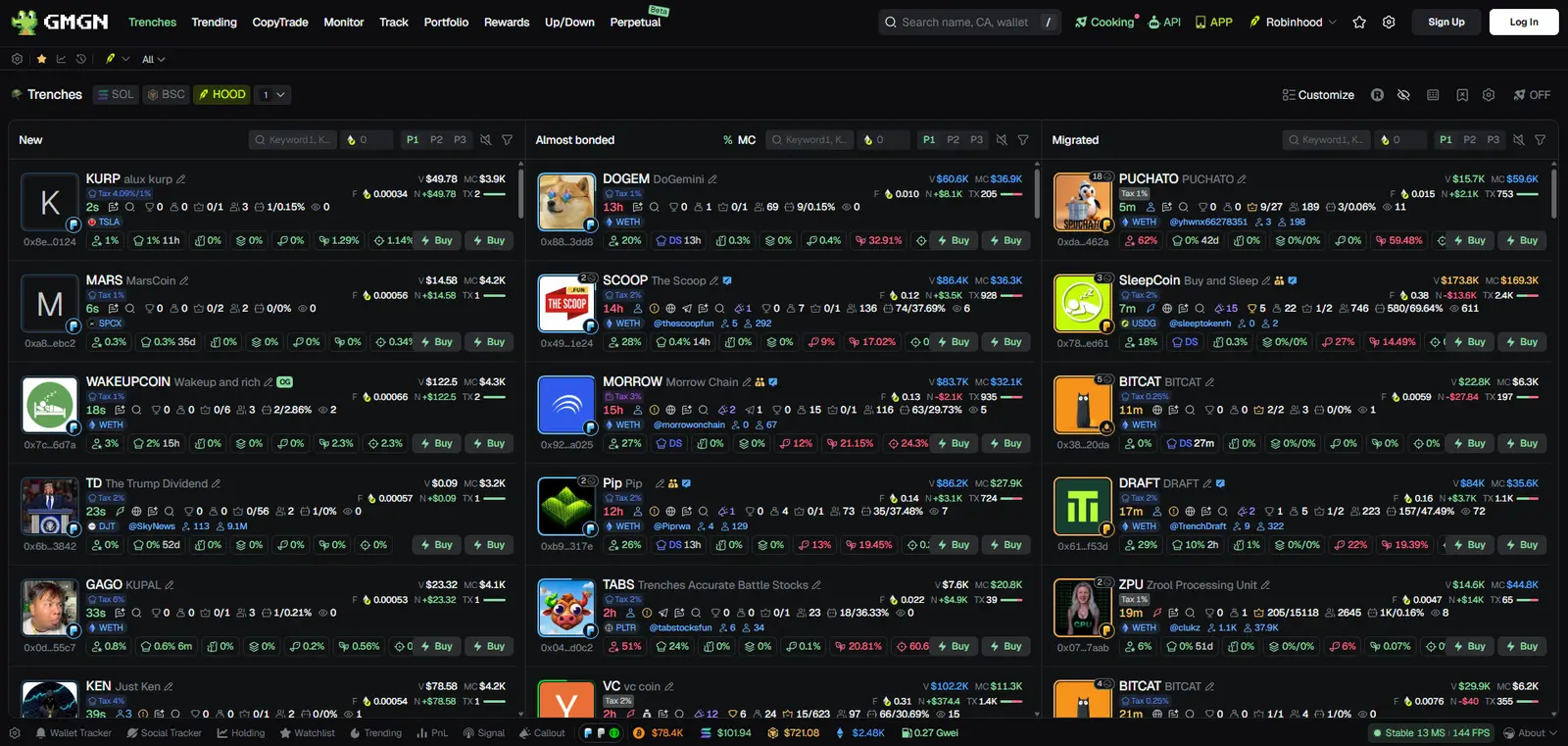
GMGN.ai combines token monitoring, holder analysis, wallet tracking and copy trading. Its Wallet Radar guide shows how addresses can be filtered before tracking or copying them. Compare GMGN if wallet activity is your main discovery signal and you want research next to the trade interface.
September 2026 activity: $575.71M; 29/30 days; lower bound. Tracked Solana spot-swap activity.
Fees: GMGN documents a 1% handling fee per transaction. Network costs, priority fees, tips and any launchpad or pool fee are separate.
Check before switching: a dashboard’s “smart money” labels are clues, not proof that a wallet will make profitable future trades. GMGN’s documentation lists a handling fee and separate priority-fee and slippage settings; review the live amounts and test order behavior before using automation. Monitoring wallets without copying them is a reasonable starting point.
2. Terminal (formerly Padre): one terminal across chains
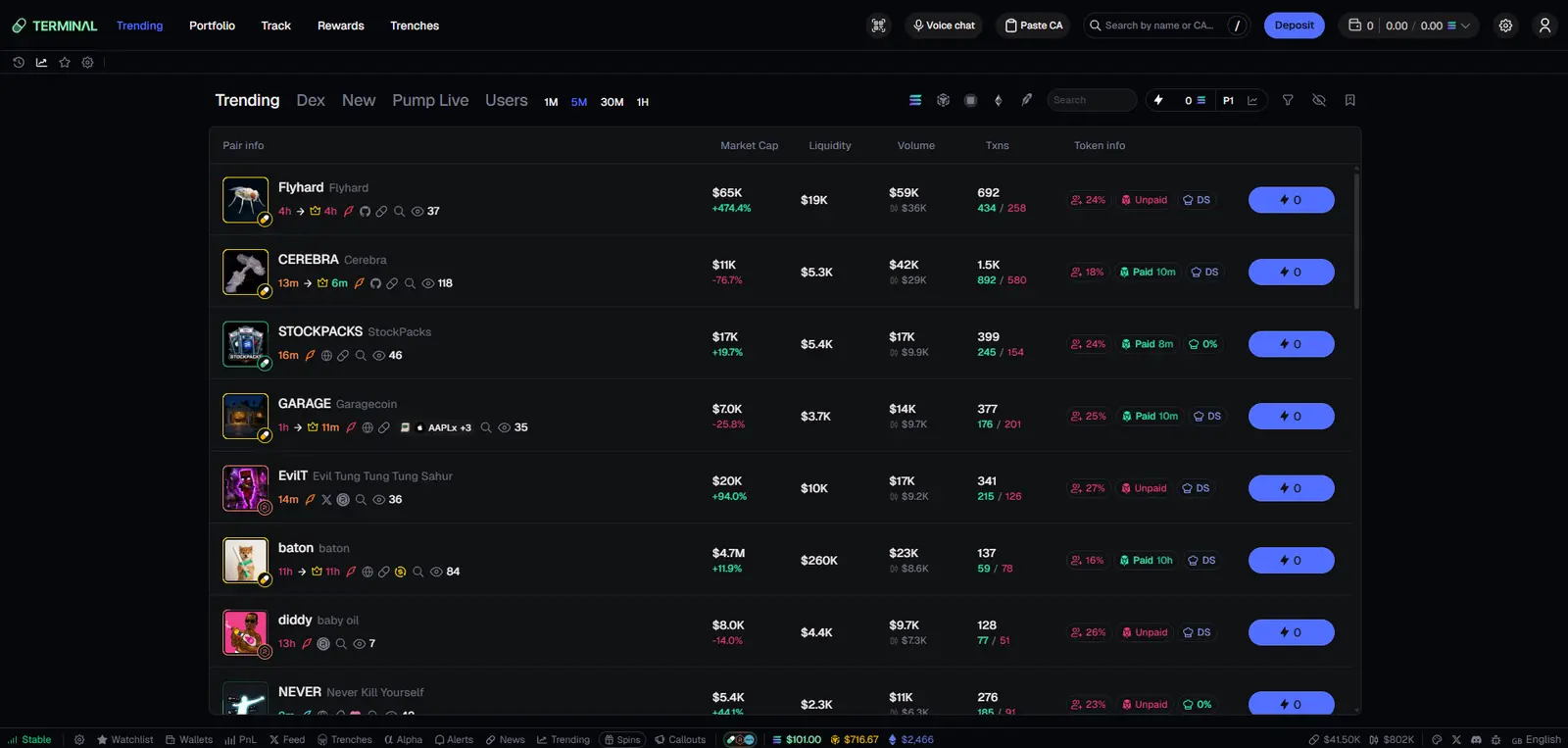
Terminal, formerly Padre, provides a trading interface for Solana, Ethereum, Base and BNB Chain with market and limit orders, wallet tracking and portfolio views. See its current interface for supported networks and features. Some screens require sign-in. It is relevant if you like the terminal format but want to examine tokens beyond Solana from the same interface.
September 2026 activity: $453.46M; 30/30 days. Tracked Solana spot-swap activity.
Fees: Check the platform charge and total quote in the current Terminal app. Do not assume an old Padre fee schedule still describes every route.
Check before switching: compare each chain separately. A token, liquidity venue, order type or network fee available on Solana may differ on an EVM chain, meaning a network compatible with Ethereum’s technology. Verify the displayed total for your chosen route rather than using an old headline fee as a complete cost estimate.
3. Trojan: orders and copy trading on Solana
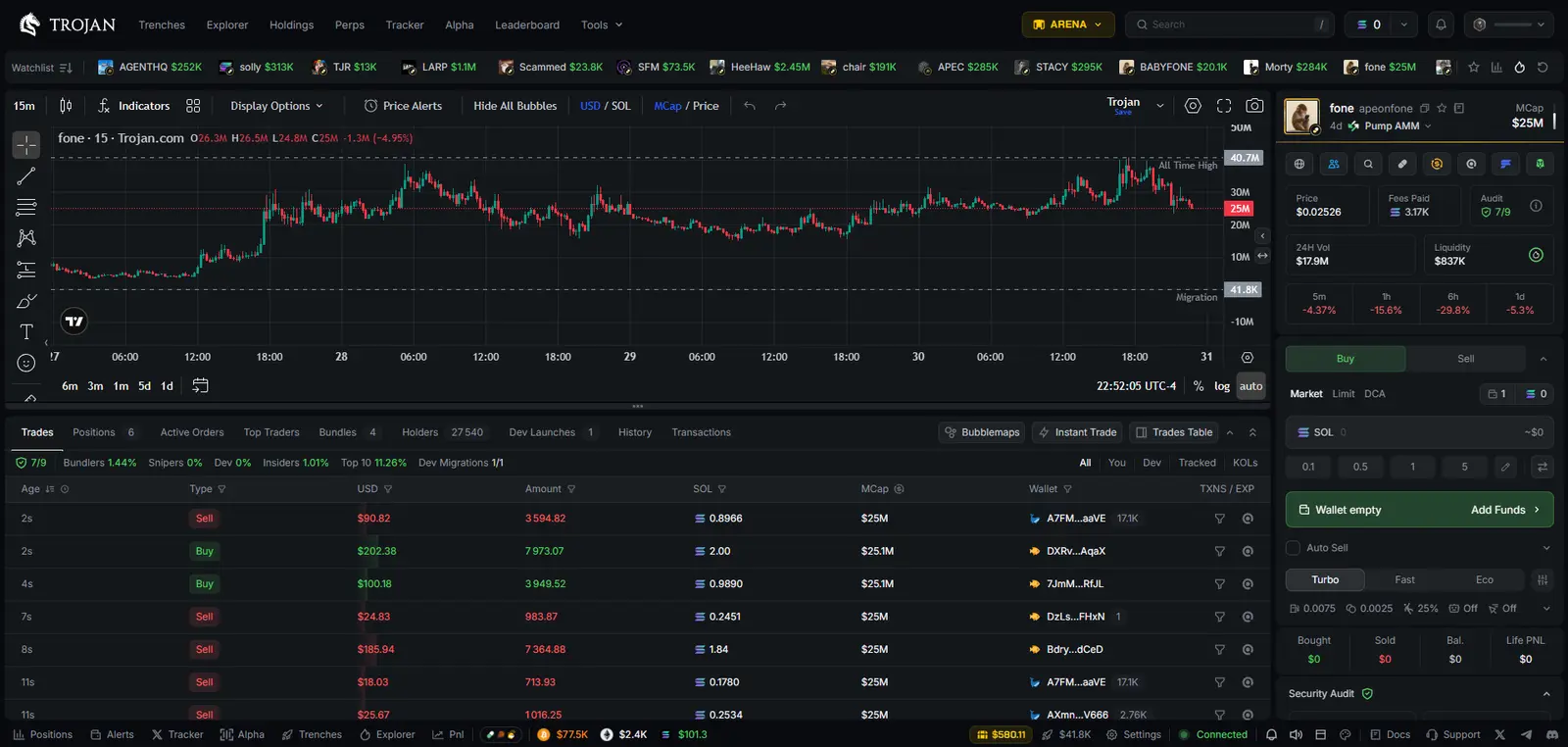
Trojan has a web terminal with market, limit and DCA orders, wallet analysis, tracking and configurable copy trading. Its swap documentation lays out these order types. This is a closer match when your Axiom routine includes planned entries or exits as well as watching other wallets.
September 2026 activity: $99.75M; 30/30 days. Tracked Solana spot-swap activity.
Fees: Trojan documents 1% per successful trade, before cashback. Network charges, priority fees and optional protection tips remain separate.
Wallet detail that matters: Trojan says a connected Solana wallet can make basic swaps, but limit and DCA orders require a newly created Trojan wallet or import of a trading wallet. Read its wallet-management instructions before exposing an existing private key. Copying a wallet’s trades also cannot reproduce its exact price: detection, execution delay and slippage can change the result.
4. Photon SOL: a Solana-first trading screen
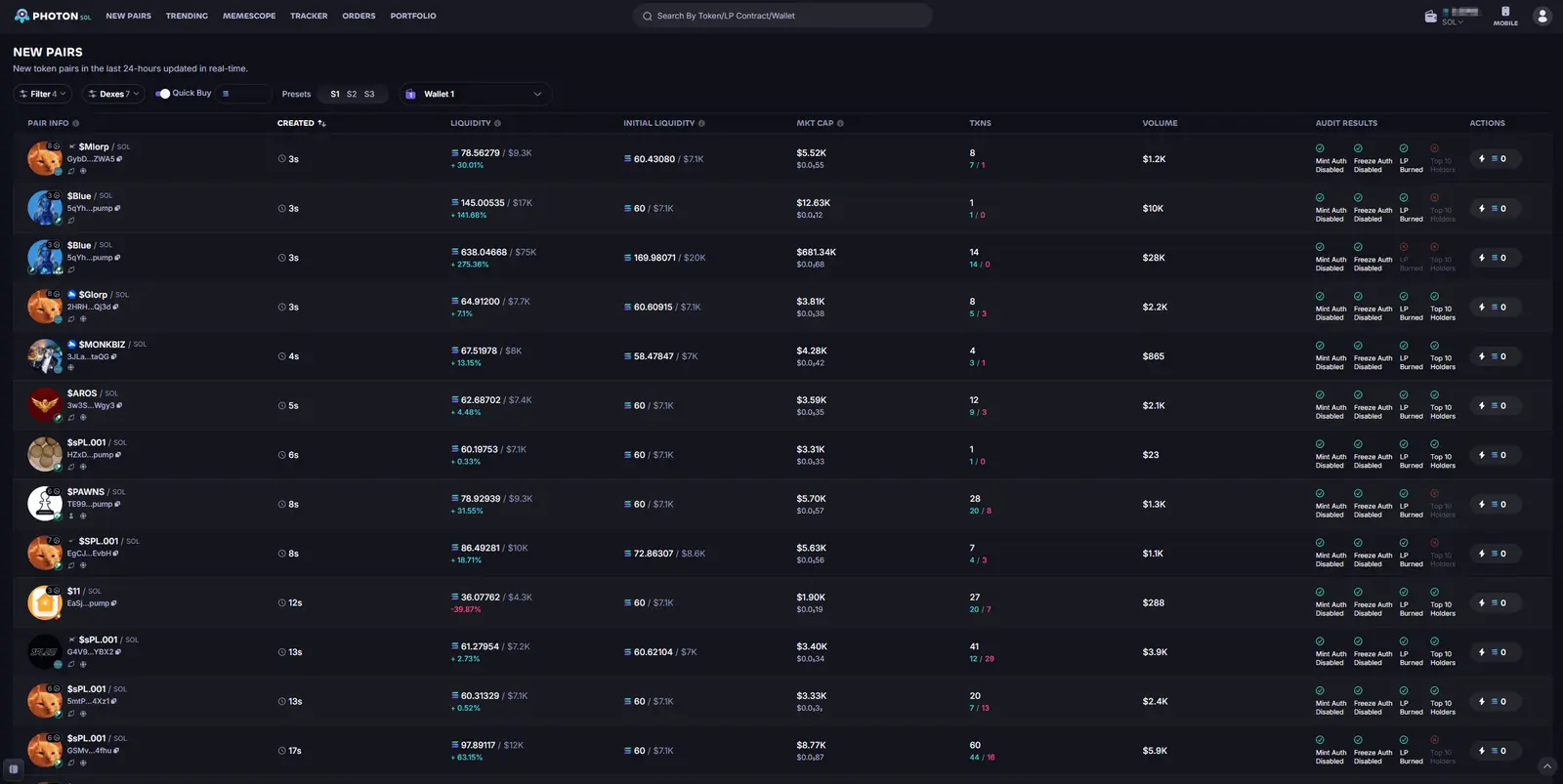
Photon SOL offers new-token discovery, filters, live monitoring and quick buys and sells on Solana. Its product homepage shows a trading workflow centered on discovering, monitoring and acting on tokens. It is a sensible first comparison if your main reason for using Axiom is the browser-based flow from token list to chart to trade.
September 2026 activity: $33.74M; 30/30 days. Tracked Solana spot-swap activity.
Fees: Check the platform charge, priority fee and any tip in Photon’s order preview. A current public fee schedule was not verified in this review.
Check before switching: inspect the current order types, execution settings and wallet export process inside Photon. A familiar layout does not mean the same fees, available liquidity or private-key handling. If you also use Axiom’s perpetuals, plan for a separate product or confirm that the exact market you want is available.
Alternatives for a different trading routine
fomo and Bloom can replace a particular Axiom task, but neither should be treated as an identical terminal. Consider them when automation or social context matter more than scanning a dense market screen.
5. fomo: social discovery on mobile and web
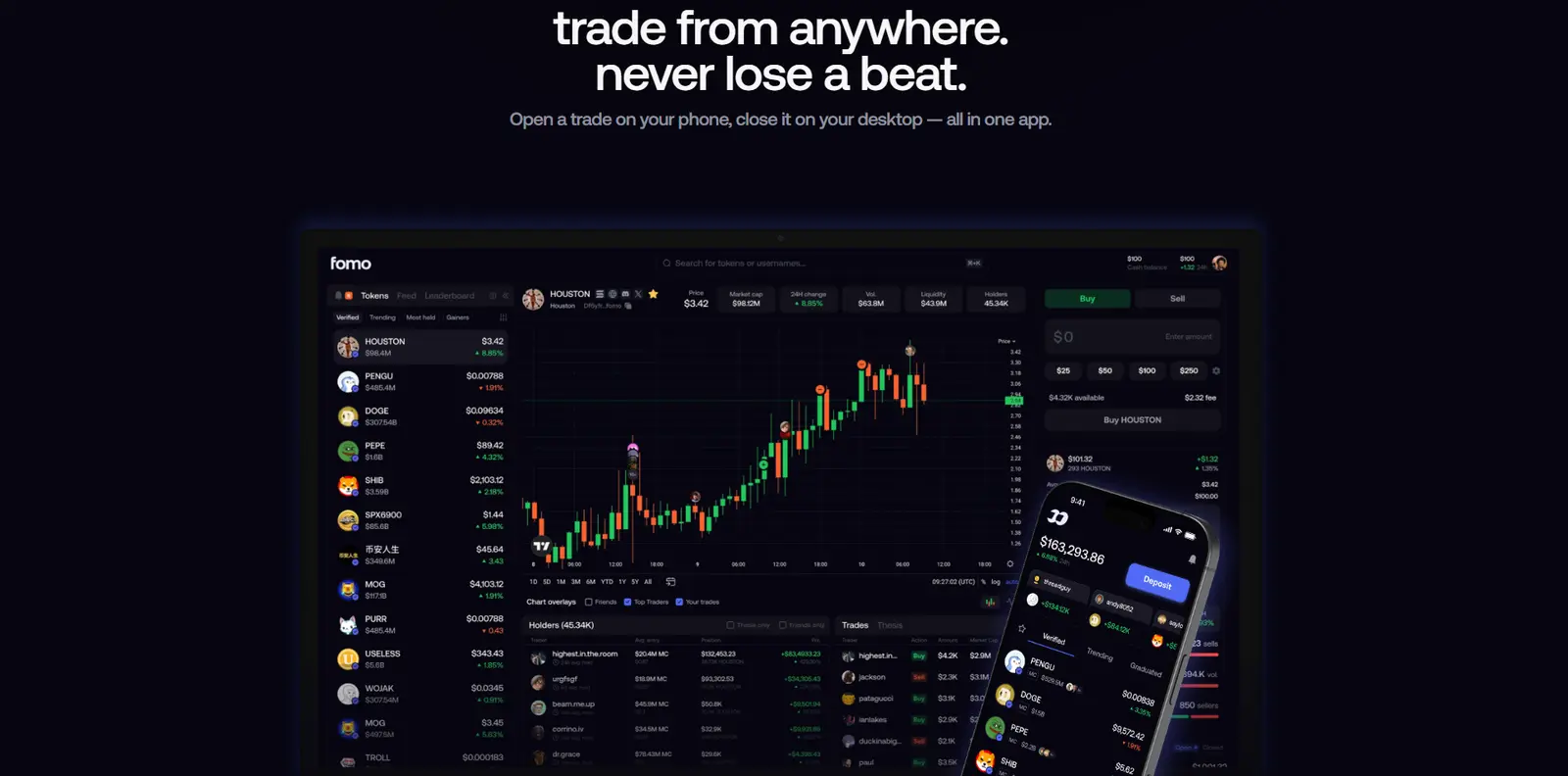
fomo focuses on a feed of traders, alerts, token context and swaps across supported networks. Its web launch announcement explicitly describes the desktop version as a social trading experience rather than a conventional terminal. It belongs on this list for readers replacing Axiom’s discovery or mobile routine with a more social interface.
September 2026 activity: $7.47B; 30/30 days; includes cross-chain trades. This is Solana-attributed activity, not native Solana swaps alone.
Fees: fomo’s spot fee varies with the transaction and route and is shown before confirmation. Do not use its separate 0.05% perpetuals fee as a spot-trading rate.
Check before switching: social activity is not independent research, and another person’s entry price will rarely be yours. fomo’s terms say the applicable transaction fee appears before confirmation and that third-party costs may also apply. Check the exact network and quote before trading; access to perpetuals is a separate, higher-risk use case.
6. Bloom: web and Telegram automation
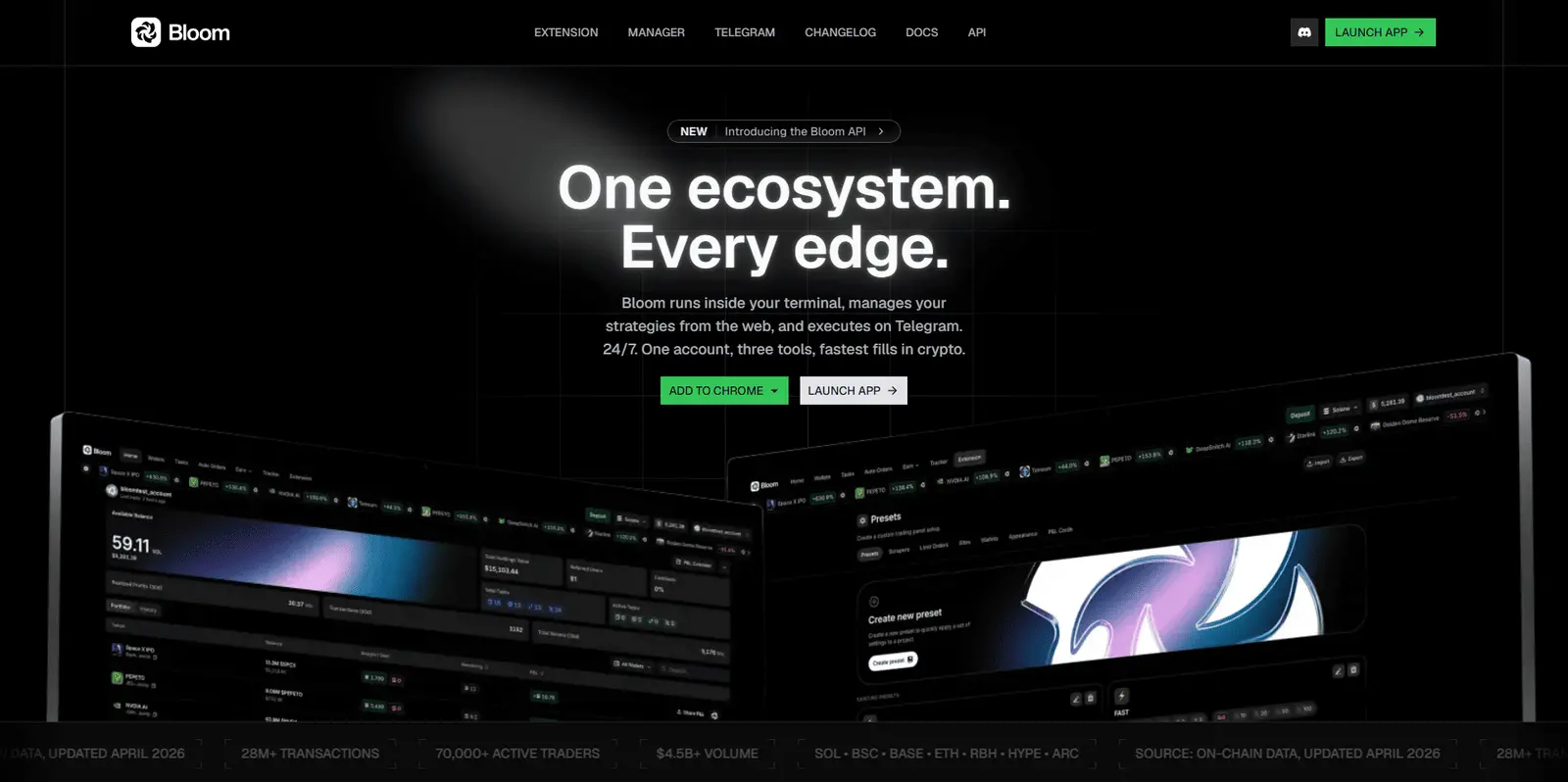
Bloom pairs web-based trading tools with a Telegram bot. Its documentation describes spot trades, copy trading, sniping, limit orders and other automation. It may fit someone who wants to act from Telegram while retaining a web interface for settings.
September 2026 activity: $25.14M; 30/30 days. Tracked Solana spot-swap activity.
Fees: Bloom lists 1% on buys and sells, or 0.9% after signing in through a referral. Network charges and automation settings add to the practical cost.
Check before switching: every automatic trigger needs a clear budget, exit rule and transaction settings. A bot can submit orders when you are away, so a misplaced condition or generous slippage tolerance can cost more than an occasional manual trade. Verify the official bot and domain before creating or funding a wallet.
For Solana swaps and planned orders
7. Jupiter: Solana discovery, swaps and planned orders
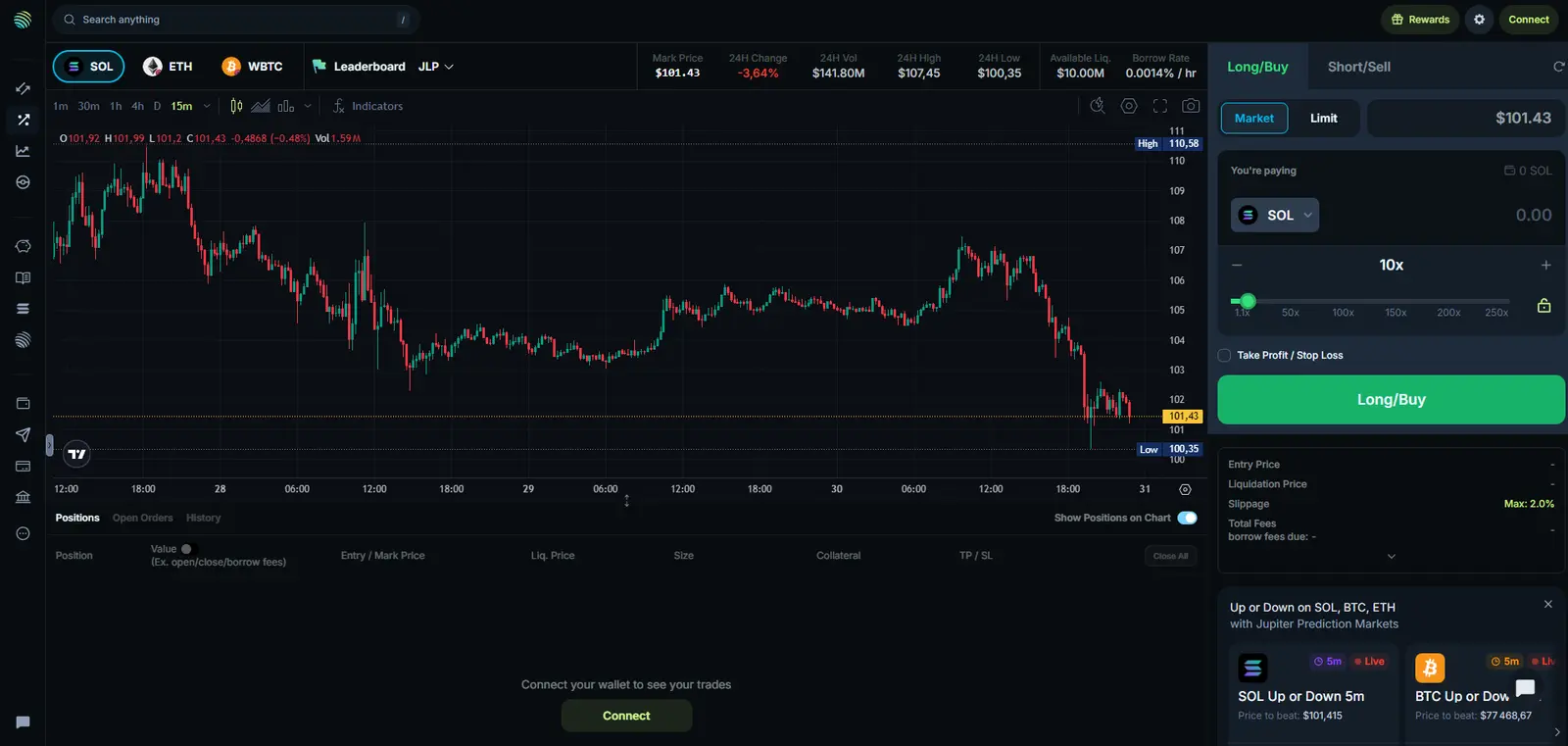
Jupiter is worth comparing if you want to research and trade Solana tokens in one ecosystem. Its current interface includes swaps, limit and recurring orders; its token pages also show discovery and wallet-tracking entry points. Start with the exact Axiom screen you use, since a discovery tab and an execution panel can feel quite different across platforms.
September 2026 activity: $15.09B; 30/30 days; aggregator. This is aggregator-wide routing activity, including integrations; it is not a terminal-only figure.
Fees: Jupiter’s support material lists Ultra / Terminal swap fees of 0–0.5%, depending on the pair. Gasless execution can add a surcharge; network and liquidity-provider costs can also apply. Limit and recurring orders have their own fee rules.
Check before switching: verify the token address, route liquidity, price impact and fees. A trigger or recurring order is not guaranteed to fill at an intended price or time. Consult Jupiter’s support hub for current order behavior, and confirm any additional trading modes in the live app.
How to choose without relying on a headline fee
Start with the task you want to keep, then compare a sample order under similar conditions. A low platform fee alone cannot tell you which transaction will cost less.
Discovery: compare token filters, wallet signals and how clearly each product shows liquidity and holder concentration. Liquidity is the trading funds available to complete swaps; holder concentration shows how much of a token is held by a small number of wallets.
Execution: check the quoted output, price impact, slippage limit, platform charge, network or priority fee, and any additional tip. Retry the comparison for both a liquid token and a thinly traded one.
Wallet control: establish whether you connect an existing wallet, import a private key, or create a new trading wallet. Determine how to export it and recover access before depositing funds.
Automation: inspect what starts an order, what stops it, and what happens if there is insufficient liquidity or a failed transaction.
Markets: check the exact chain and product. Spot swaps, copy trading and leveraged perpetuals are different activities with different risks.
For a wider inventory of trading tools, use the directory filters after narrowing your use case. The existing Solana trading bots comparison covers a different question: comparing bots by tracked activity and fees. Its August 2026 snapshot uses a different period from the September figures here.
Moving away from Axiom: a practical checklist
List what must move. Note open orders, trading wallets, tracked addresses and any positions outside Solana. Take a record of transaction history you may need later.
Visit the official product. Follow verified documentation or the provider’s official domain; do not enter a recovery phrase from a link in a message.
Choose the wallet route deliberately. Connecting a wallet, importing its existing key and making a new wallet are different actions. Importing does not replace a potentially compromised key.
Test a small transaction. Confirm the receiving address, chain, actual output and fee. For automated orders, verify the configured trigger and cancellation path.
Only then move your routine. Cancel old orders you no longer want and check balances and open positions in the relevant app or on-chain explorer.
Risk note: thin liquidity, token contract controls, slippage and priority fees can outweigh interface differences. Trading bots and leveraged perpetuals can add losses quickly. This article compares tools for educational purposes; it is not a recommendation to trade any asset.
Which Axiom alternative should you shortlist?
Start with Photon or Trojan for a familiar Solana chart-and-order workflow, and GMGN when wallet research is your priority. Compare Terminal when you need the same style of workspace across several chains. Jupiter is a useful starting point for swaps and planned orders; Bloom suits an automation-focused routine, while fomo changes discovery into a social, mobile-friendly experience.
If you are a beginner, first compare a manual swap and the wallet-recovery process in one or two tools. Understanding the quote, protecting the wallet and knowing how to cancel an order matters more than enabling every available feature. Keep the tool that makes your main task clear, then add complexity only when it solves a specific need.
Common questions
Which option feels closest to Axiom on Solana?
Photon SOL and Trojan are direct starting points for a chart-and-order terminal; Jupiter also has Solana discovery and order screens, while GMGN is especially relevant if wallet research drives your trades. Try the same research and order flow in each before deciding. This is an editorial workflow comparison, not a measured speed ranking.
Can I use my Axiom trading wallet in another tool?
That depends on how you access and export the wallet and how the new product accepts it. Some tools let you connect a wallet for basic swaps, while advanced automation may require a separate or imported wallet. Never share a seed phrase or private key with support staff, and do not import a key you believe is compromised.
Does a cheaper listed trading fee guarantee a cheaper trade?
No. Add the platform fee to priority or network costs and compare the quoted output after price impact and slippage. Fees and routing can change between orders, so verify the final confirmation screen each time.
Which Axiom alternative is easiest for a beginner to compare?
Start with a manual swap in Jupiter, or compare Photon and Trojan if you specifically need charts and orders together. This is a suggested learning path, not a measured usability ranking. Check the wallet setup, token address and quoted output before enabling automation.
Does higher trading volume mean an alternative is better?
No. It shows the value of tracked trades within the stated scope and period. Missing data, cross-chain attribution and third-party integrations affect the totals. Volume does not measure safety, ease of use, execution speed or trader profitability.
Sources and data date
Volume data was checked on October 8, 2026. Calculations use DefiLlama’s daily Solana breakdown for September 1–30 UTC. Values are rounded, and historical data may be revised. Features and fees were checked against official product material; this is not a hands-on execution-speed benchmark.
Essential references: DefiLlama for tracked volume; official fee information from Axiom, Trojan, GMGN, Jupiter, Bloom, fomo.